i² Platform

Per Market Center

CRM & Recruiting

Contacts keyed to the KW roster, a dashboard where every number opens its list, retention and growth scores with the reasons behind them, teams and groups, a recruiting pipeline, onboarding, and the messaging to act on all of it — one place for what leadership does all day.

A dashboard where every number is a list

Open the CRM on your own office — or a state, or the network — and every tile is a click: dormant agents, high retention risk, cap anniversaries coming up, rising producers, new agents, KW anniversaries, who attended a live session, who has gone quiet, recruits by stage and stale follow-ups, overdue tasks, and the clean-up list (no mobile number, not opted in to texts, no MLS match, no login). Each opens exactly those people, with the filters as removable chips and a link you can share — select them all and text them, enroll them, or assign the follow-up.
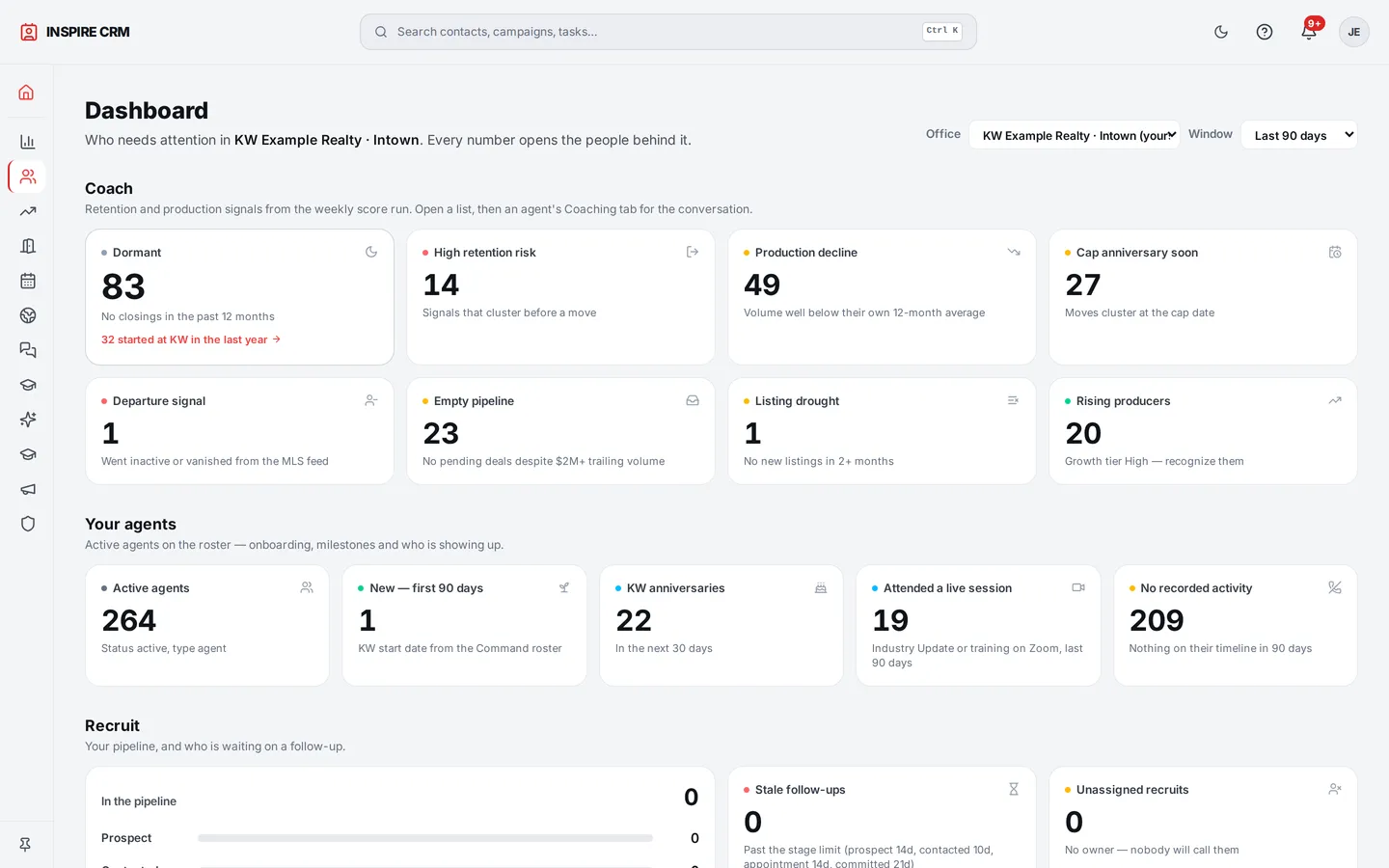
CRM dashboard
CRM dashboard

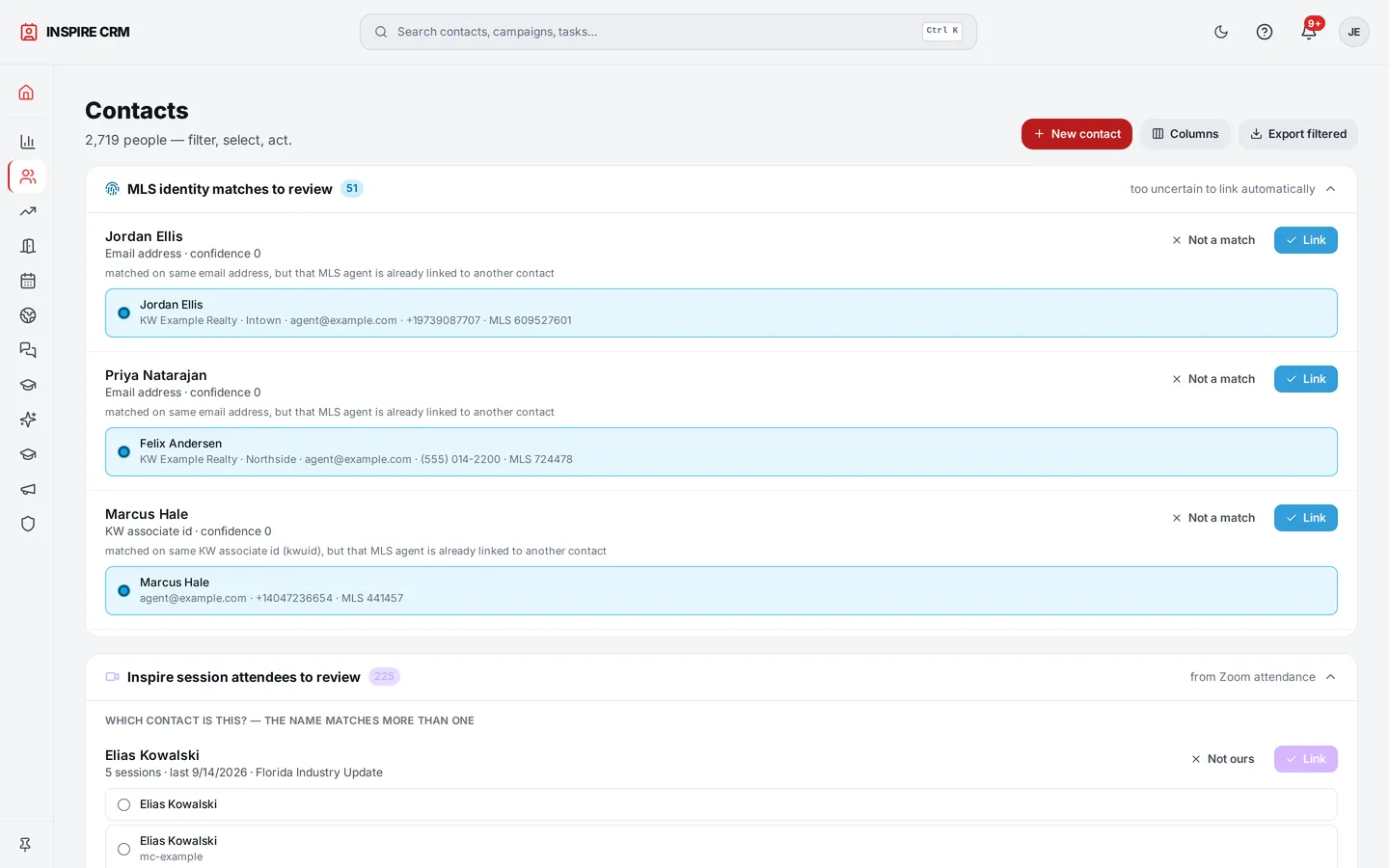
Contacts that already know the roster

Every agent in the office as a contact with their production, tenure, MLS identity, and activity — synced from KW Command, not typed in. Their KW profile comes in too: licence, languages, designations, military affiliation, preferred areas, bio and social links — and every value is a filter, so "every veteran" or "every Spanish speaker" is two clicks. A team leader's bio never lands on a team member's record.

Contacts — filter, select, act

Retention and growth scores, with reasons

Who is at risk, who is rising, and why — production trend, activity, engagement — scored nightly and explained in plain sentences, so a Team Leader's next conversation is obvious. A growth signal sits on the contact record in its own vocabulary.

Teams and groups, each with a dashboard

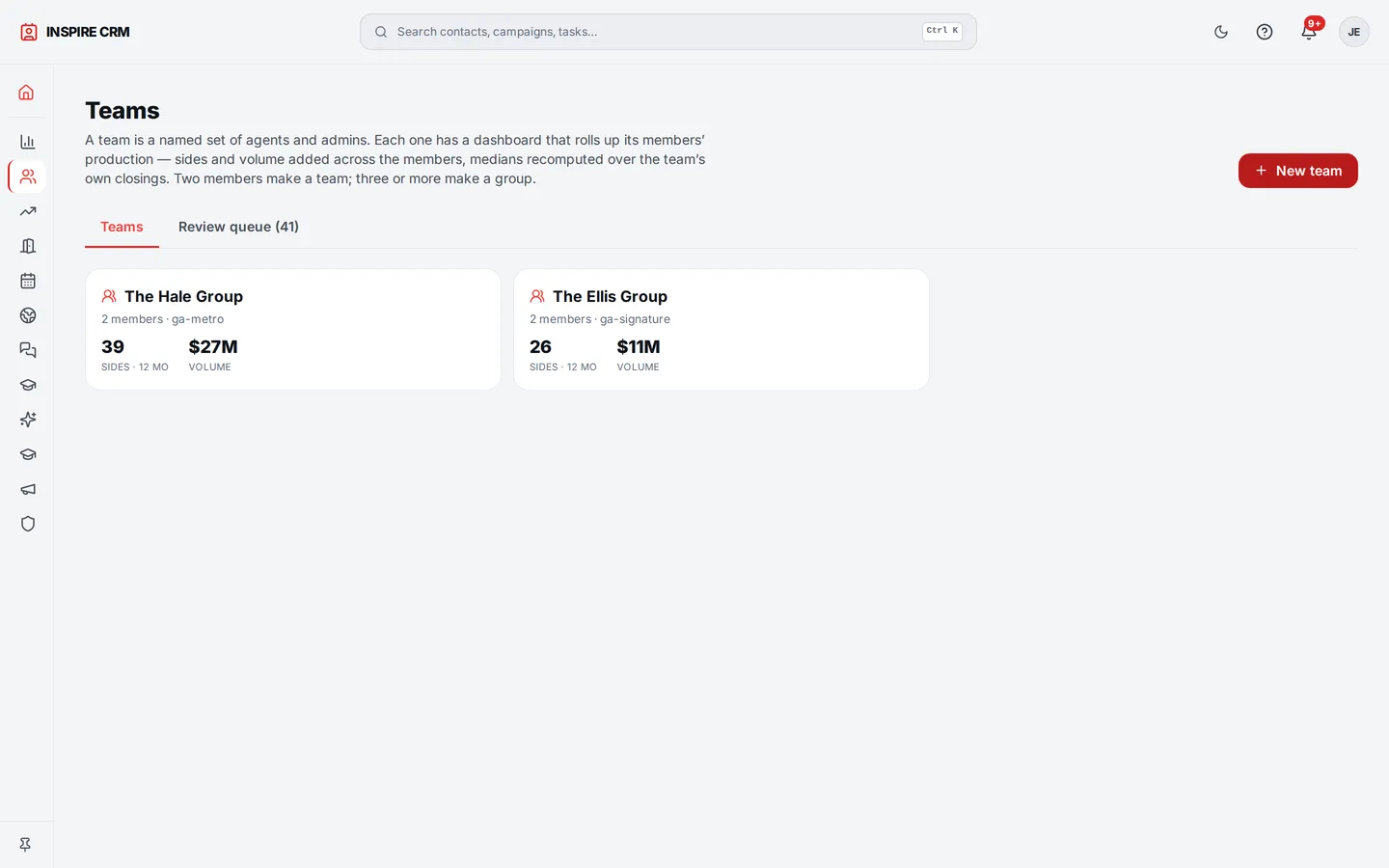
The platform proposes the office's teams from what KW profiles already say — a shared team site, a team named in the bio — and leadership confirms, renames, merges or rejects each one. Two people are a team, three or more a group. Every team gets its own dashboard: trailing-twelve sides and volume, a median price computed over the team's own closings (never an average of its members'), active listings, deals under contract, top counties and cities, and a member leaderboard that adds up to the headline.

Teams — proposed from KW profiles, confirmed by leadership, each with its own view

Recruiting, audiences, tasks, approvals

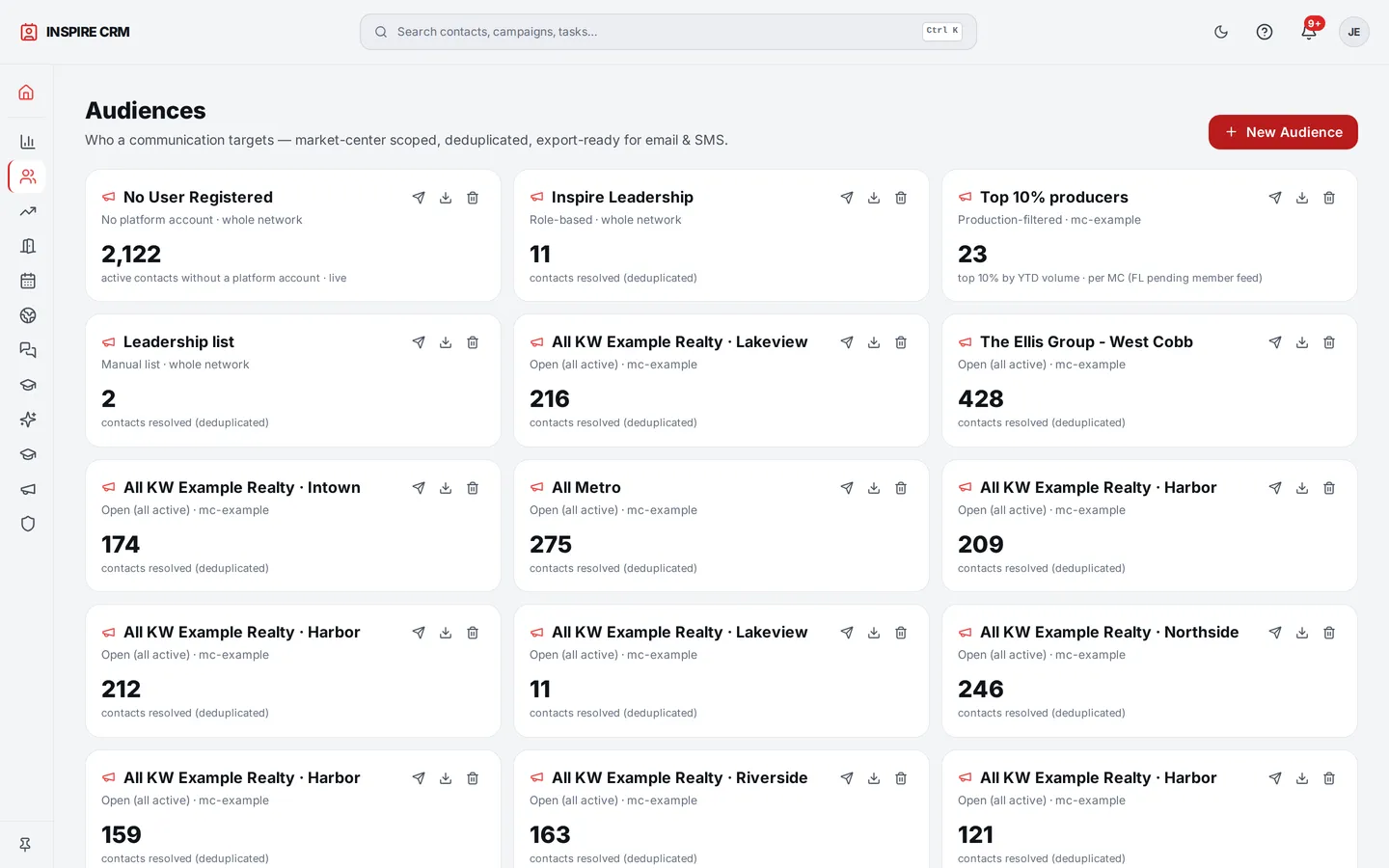
A recruit pipeline with off-roster prospects, audiences that update themselves, tasks for the team, and approvals so nothing leaves the office without the right eyes on it.

Audiences and segments

Onboarding, from the CRM

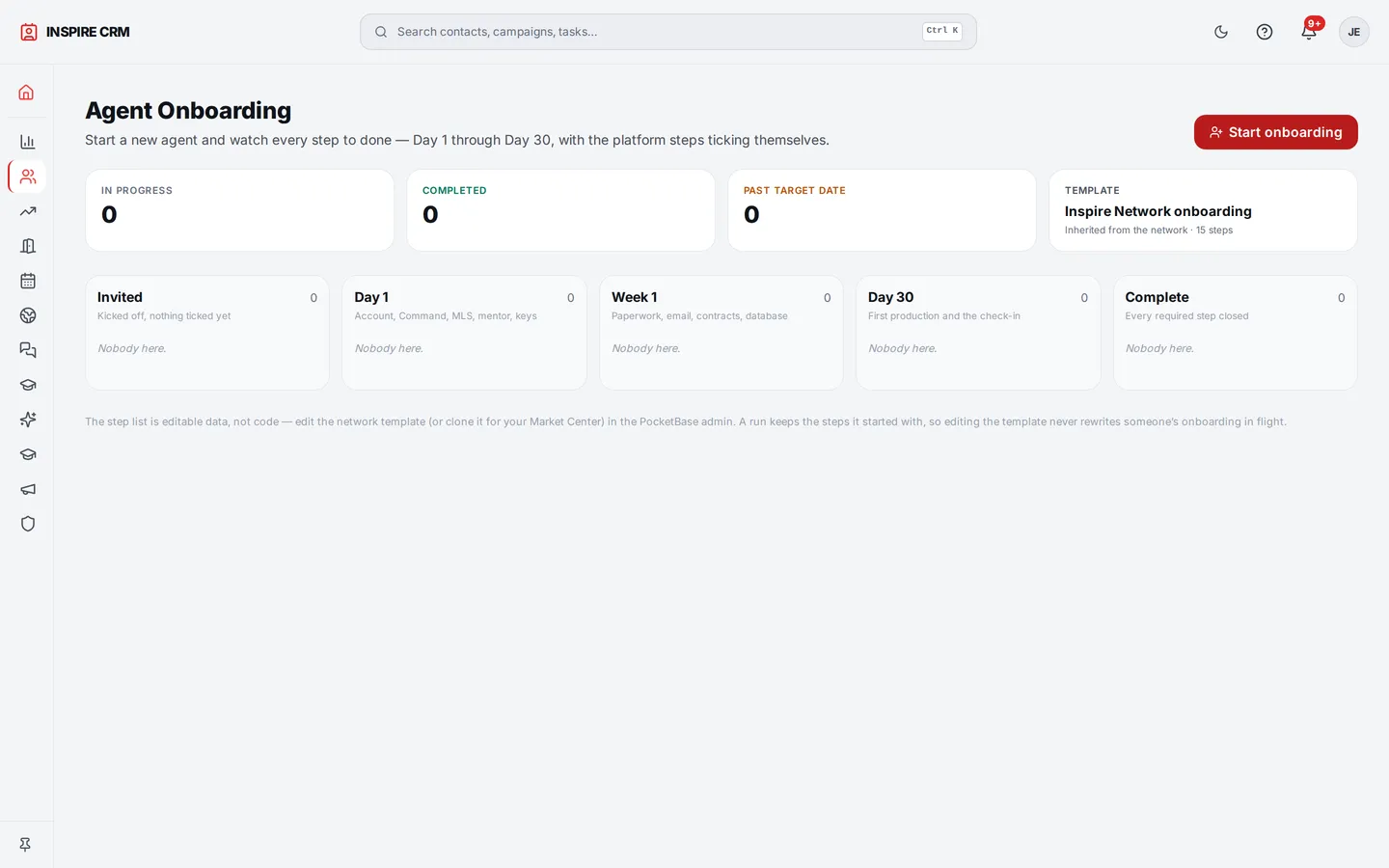
Leadership kicks off a new agent in two clicks: a template, a mentor, a progress rail the agent walks, stuck-step alerts, and time-to-productive on the leadership board.

Onboarding — kick off a new agent in two clicks

An agent's website, from their record

A Website tab on every agent's contact lets their Market Center leadership update the agent's page for them — production numbers on or off, up to three target markets, the opening button and the bio — with a link to the live page. The agent can still change it themselves; reviews stay the agent's call.

Duplicates a person decides

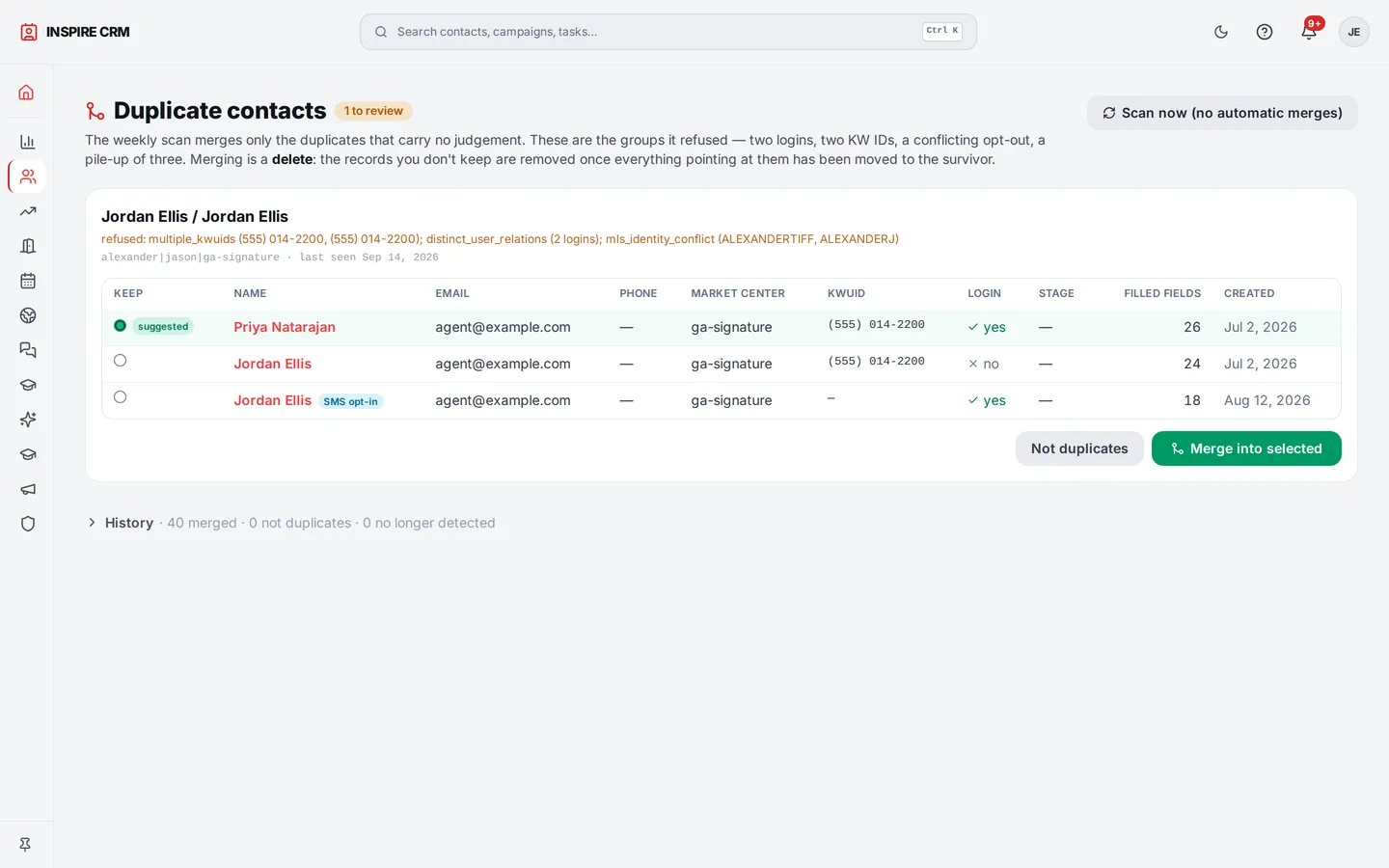
A conservative weekly job merges the contacts it is sure about and refuses the rest; the refusals wait in a review queue where a person decides, with the evidence beside each group. Groups of three or more merge in one step, and a merge that would clash is refused before anything is removed.

Duplicates review queue — a person decides

Every email in a ledger

Every message the platform sends — campaign, reminder, digest, reset — gets a ledger row, so delivery, opens, clicks, bounces and complaints are never discarded in silence. A hard bounce suppresses the address everywhere.

See CRM & Recruiting on your own boards’ data.

Screens above are the live platform with a generic office and cast. A walkthrough shows it on your feeds.

Book a walkthroughNext: Campaigns →